

What API keys are used for
API keys are required for all authenticated endpoints. You will use them to:- Retrieve account and overview information
- Create and manage lines
- Access bouquet and package-related endpoints
- Perform reseller actions from your own backend or internal tools
x-api-key header.
Create an API key
Use the following steps to create a new API key from the dashboard:1
Open account settings
Open your account settings in the dashboard.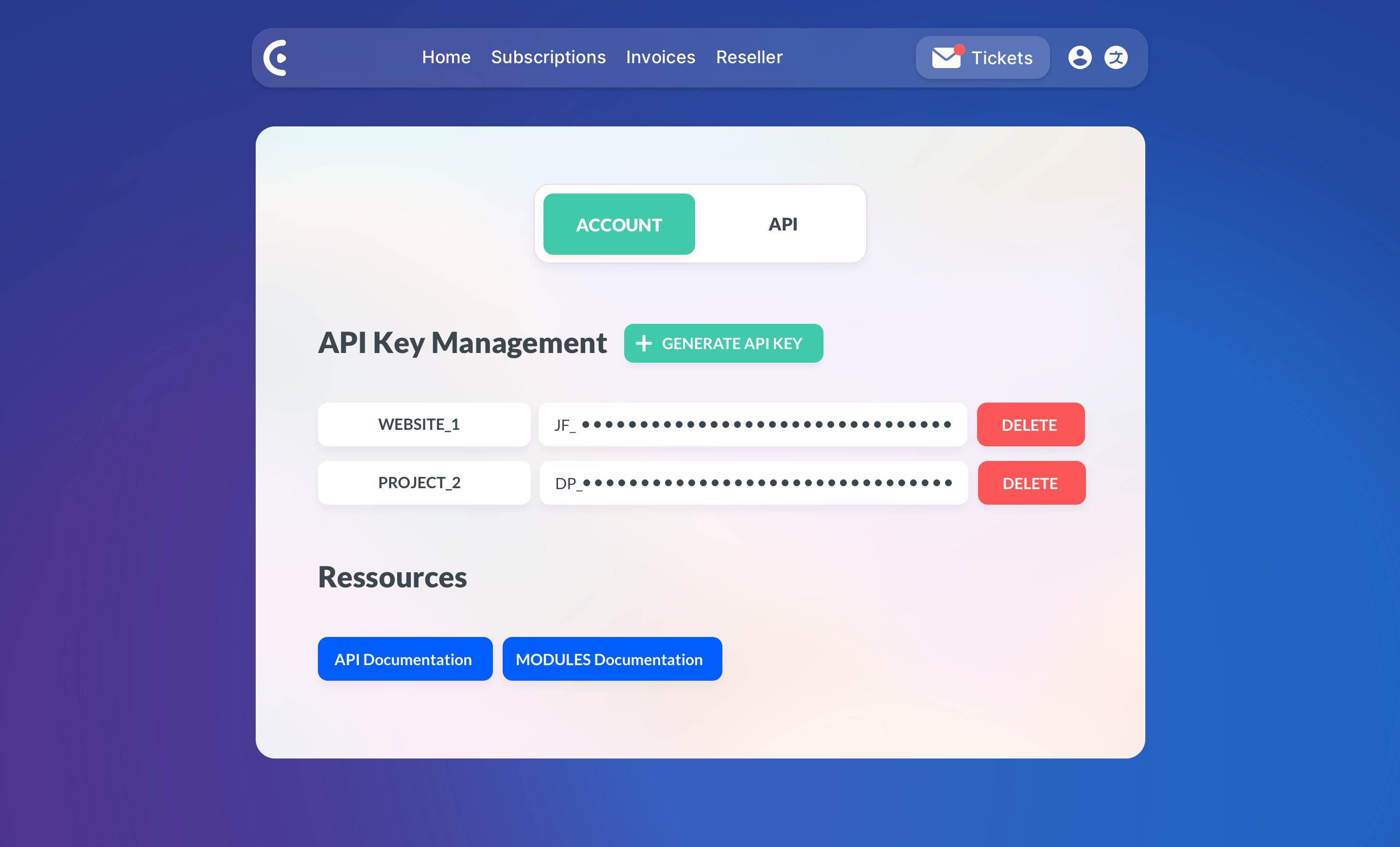
2
Generate a new key
Click the 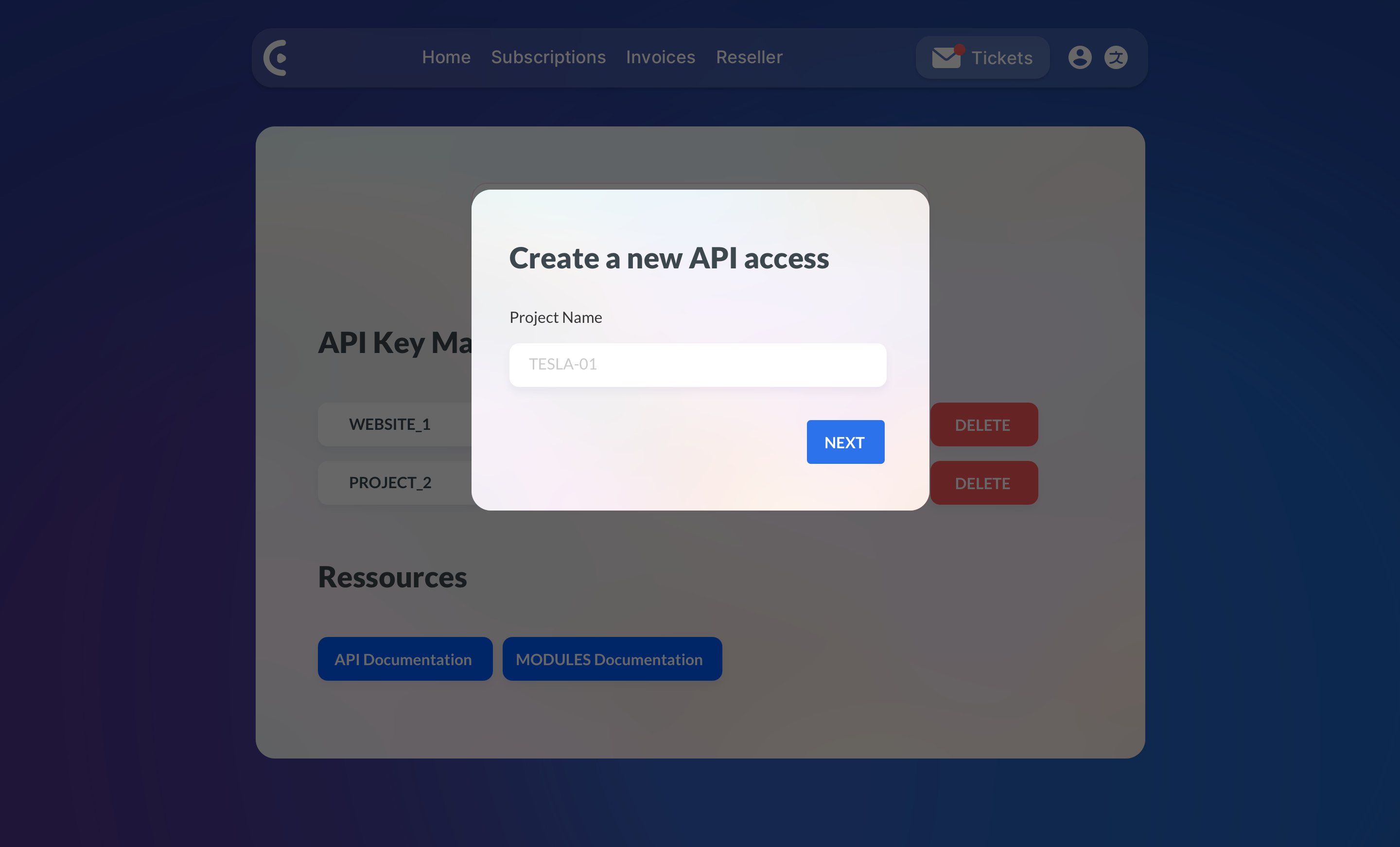
GENERATE API KEY button.3
Add a descriptive label
Enter a clear label, such as 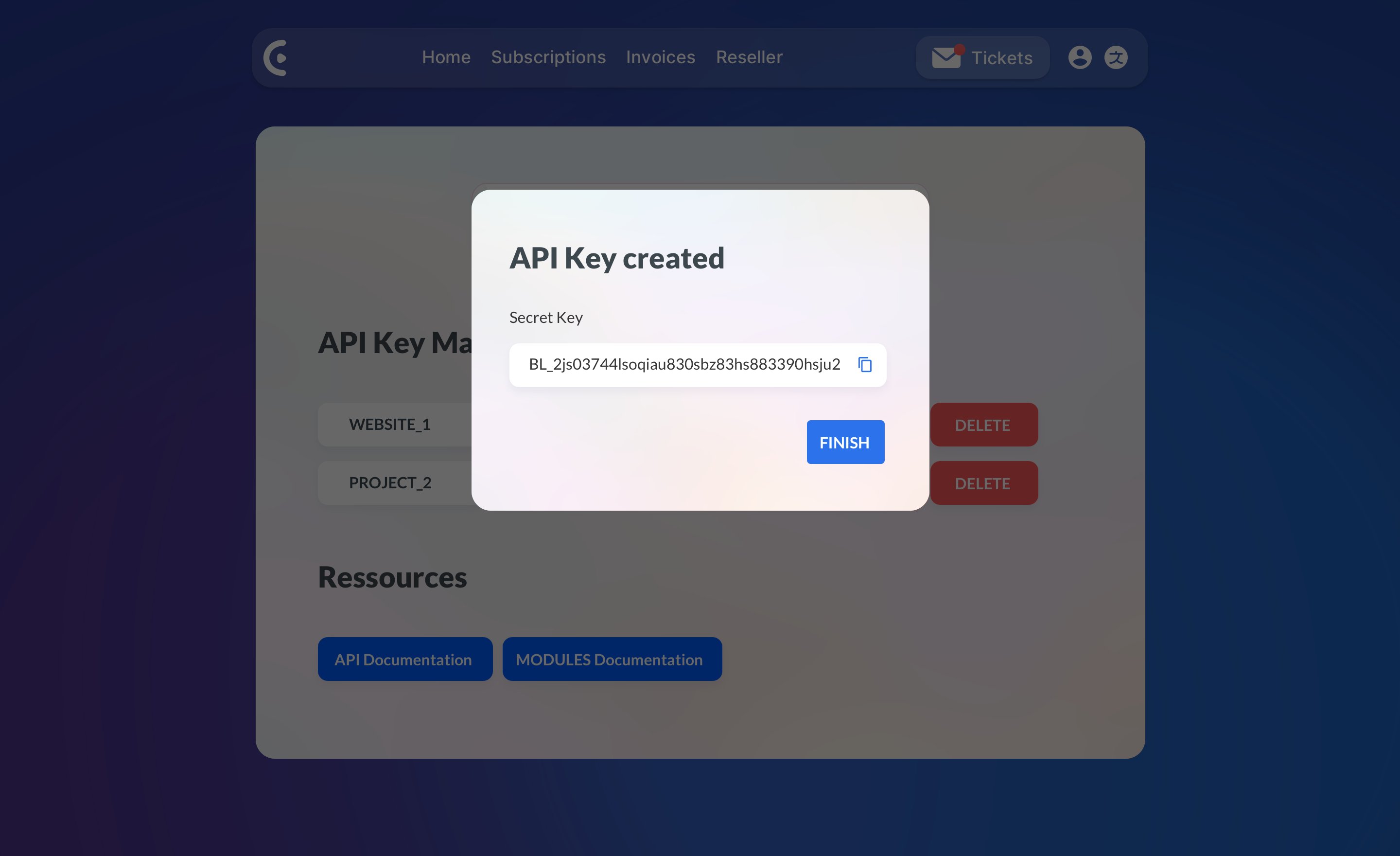
production-api, staging, or
internal-tools, then submit the form.4
Store the key immediately
When the API key is generated, it is shown only once. Copy it
immediately and store it in a safe place such as a password manager,
encrypted secrets store, or secured environment variable manager.Use labels that help you identify where a key is being used. This makes
future rotation and incident response much easier.
Use your API key in requests
Include your API key in thex-api-key header on every request.
Best practices
- Store API keys in environment variables or a secrets manager
- Use separate keys for production, staging, and local development
- Give each key a descriptive label tied to a single application or service
- Rotate keys immediately if you suspect they were exposed
- Never embed keys in client-side JavaScript, public apps, or browser requests
Managing keys safely
You can view and manage your API keys from the dashboard. A good operational workflow is:1
Create a replacement key
Create a new key for the service that needs access.
2
Deploy the new key
Deploy the new key to your server or automation environment.
3
Verify authentication succeeds
Confirm requests succeed with the new key.
4
Remove old access
Remove old or unused keys from active systems.
Troubleshooting
If your request fails, check the following first:- The
x-api-keyheader is present - The key value is complete and has no extra spaces
- The request is being sent over HTTPS
- You are using an active key from the correct account
401 Unauthorized response. For
more details on API errors, see Error Handling.